Case Study

Sussex Beds | Dynamic Ticket Pricing POS System

The Problem:

The client was utilizing Matrix Inventory Items within their NetSuite platform. Their Product Development team maintained a pricing system in NetSuite, while relying on a library of printed pricing display tickets designed in Adobe Illustrator for thousands of SKUs. Updating ticket prices required a manual and time-consuming process, involving edits to each individual ticket in Illustrator.

The Brief:

The client sought a NetSuite-based solution that could automatically generate pricing tickets using the platform's existing pricing data. The objective was not only to replicate the current ticket design but also to ensure scalability—enabling the team to create and update tickets for new products as needed, without reliance on external design software.

The Scope:

Following in-depth discussions around the client's requirements and use cases, the project was divided into the following key components:

Project Features

Ticket Types

The client's business has a range of product types. It was important to create different designs based on product type.

This is the first option the user defines via a list/record dropdown field within the client's custom record.
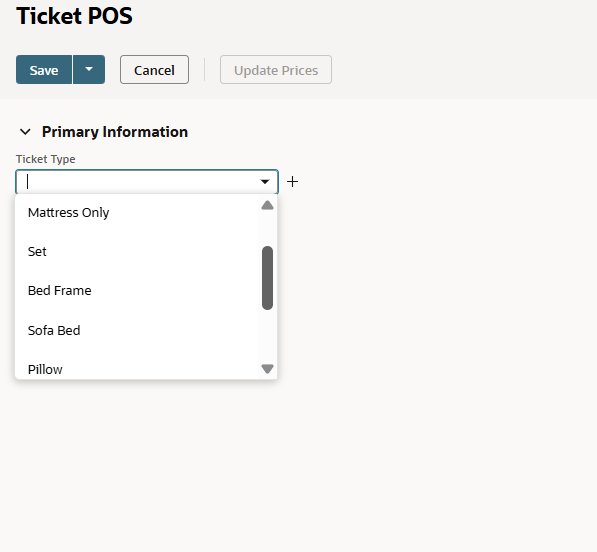
Ticket type examples

As demonstrated, depending on the ticket type, the end result displays a different ticket design — utilizing various advanced HTML/PDF templates.

Product Allocation

The client can select the product they want to display prices for. Since the product configuration is based on Matrix inventory items, the client only needs to enter the parent item. Once the record is saved, a User Event SuiteScript identifies the correct children and allocates them to the appropriate field on the record.
Product Screenshot

Pricing Discounts

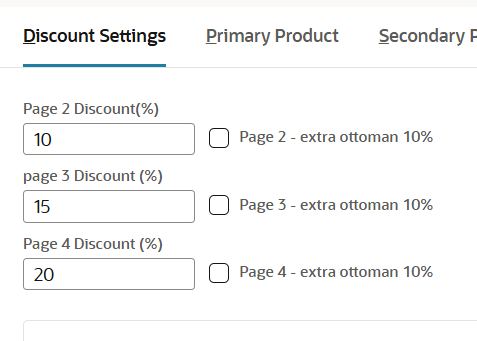
The client wanted to prepare various discount offer options for any given product, reducing the need to revisit records later. They simply enter the desired discount percentage, and the system calculates and displays the final sale price for each variation.

Visual Customisations

To give the client maximum control, fields were implemented to dynamically manage various visual aspects of the ticket. These include selecting a background colour from a range of presets—or creating new ones—setting font colours and styles, adding additional text elements if needed, and incorporating imagery. This flexibility allows tickets to be elevated and helps premium products stand out on the showroom floor.
Product Screenshot

Reporting & Record Management

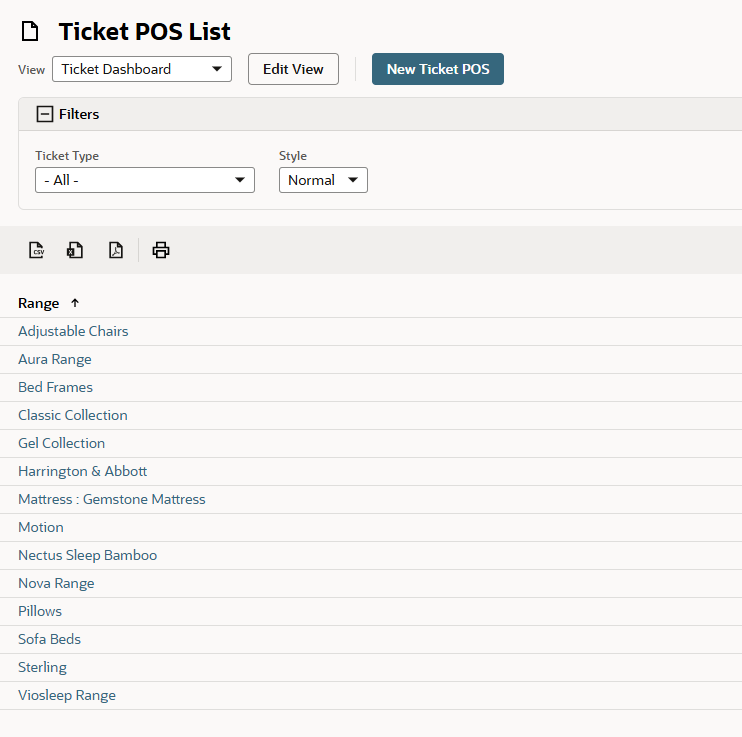
A saved search was set up for the client to help manage their records and to allow the in-store team to easily view all available tickets and print directly from the store.

Key Outcomes

Upon implementation, once the client had created records for all their tickets, the system significantly reduced the time required for each campaign or price update by several days. The final enhancement—a scheduled workflow that routinely verifies and adjusts prices according to the base price of each item—eliminated manual pricing updates, improved accuracy, and consolidated two processes into a single streamlined workflow. Additionally, all templates were styled using a centralized CSS document stored within the NetSuite File Cabinet. This approach enables the client to update the look and feel of their tickets simply by modifying the CSS file. These changes automatically propagate across all existing records without requiring any record recreation, thereby saving the client both time and costs.

Key Benefits the Client Expressed:

Ready to streamline your NetSuite operations?

Whether you're looking to automate workflows, build custom record systems, or integrate external processes into NetSuite, I can help. Let’s talk about how we can make NetSuite work smarter for your business.